Secure by Default: How Cisco Meraki Z4C Gives Every Remote Employee Enterprise-Grade Connectivity
Secure by Default: How Cisco Meraki Z4C Gives Every Remote Employee Enterprise-Grade Connectivity

Remote work is permanent. What isn't permanent is the patchwork of consumer routers, residential ISPs, and best-effort VPN tunnels that most businesses are still relying on to connect their remote employees. The result: dropped calls, sluggish cloud apps, security blind spots — and an IT team that can't see or fix any of it.
The Cisco Meraki Z4C Teleworker Gateway changes that. Designed specifically for remote and hybrid workers, the Z4C brings enterprise-grade connectivity, security, and centralized management to every home office — managed through the same Meraki Dashboard your IT team already uses for everything else.
"By 2026, over 60% of enterprise employees work remotely at least part of the week — yet fewer than 20% have enterprise-grade security protecting their home connection. That gap is exactly where attackers focus."
— Enterprise Networking Industry Report, 2025
The Problem With Consumer-Grade Remote Work
When employees work from home, they step off your corporate network and onto a consumer ISP. That means:
- ‚úì No firewall inspection of inbound or outbound traffic
- ‚úì No content filtering to block malicious sites
- ‚úì No visibility into device behavior or bandwidth usage
- ‚úì No automatic failover when the home ISP drops
- ✓ No centralized management — IT is flying blind
Software VPN clients help, but they're a band-aid. They require user action, fail silently, and put the enforcement burden entirely on the endpoint. The Z4C takes a different approach: it secures the entire home office at the network layer, automatically, before a single packet leaves the building.
Meraki Auto VPN: Enterprise Connectivity That Just Works
The Z4C's most powerful feature is Meraki Auto VPN — a zero-configuration site-to-site VPN that builds an encrypted tunnel from the home office directly to your corporate network automatically when the device powers on. No certificates to manage. No VPN client for employees to launch. No IT tickets when it breaks.
With 250 Mbps VPN throughput, remote employees get performance that matches — or exceeds — what they'd experience in the office. Video calls are smooth. Cloud apps are responsive. Shared drives behave like they're local.
- ✓ Always-on VPN — tunnel connects automatically at boot, no user action required
- ✓ Split tunneling control — route corporate traffic securely while keeping internet traffic local
- ✓ Full mesh or hub-and-spoke — scales from a handful of remote workers to hundreds of distributed sites
- ✓ Managed from the Dashboard — every tunnel, every worker, one pane of glass
Built-In Security That Goes Beyond the Firewall
The Z4C isn't just a VPN gateway — it's a full security appliance in a compact form factor. The 500 Mbps stateful firewall inspects all traffic in both directions, and three additional security layers protect remote employees from threats that bypass traditional perimeter defenses.
Cisco AMP (Advanced Malware Protection) provides file reputation scanning and retrospective detection — it can identify and quarantine malware that was initially classified as clean. Cisco Threat Grid adds dynamic malware analysis, sandboxing suspicious files in real time. Content filtering blocks access to malicious, phishing, and inappropriate sites at the DNS layer, before a connection is ever established.
- ‚úì Stateful firewall with 500 Mbps throughput
- ‚úì Cisco AMP for advanced malware detection and response
- ‚úì Cisco Threat Grid sandboxing for zero-day protection
- ✓ DNS-layer content filtering — blocks threats before they connect
- ‚úì Per-device traffic analytics with ML-powered anomaly detection
Cellular Failover: Because Home ISPs Go Down
The Z4C integrates a Cat 12 LTE modem directly into the hardware. When the home ISP drops — a cable cut, a router reboot, a neighborhood outage — the Z4C automatically fails over to the cellular connection in seconds. The employee barely notices. The VPN tunnel re-establishes. Work continues.
This is the same cellular failover technology that Meraki puts in branch office gateways, scaled down for individual workers. For businesses in sectors where uptime isn't optional — finance, healthcare, legal, customer service — it's not a luxury, it's table stakes.
- ✓ Integrated Cat 12 LTE modem — no external dongle required
- ‚úì Automatic failover with sub-30-second switchover time
- ‚úì Works with any major LTE carrier via nano-SIM
- ‚úì Cellular usage visible in the Meraki Dashboard per device
Wi-Fi 6, PoE, and a Network Built for Work
The Z4C also serves as a home office access point, with dual-band 2x2 Wi-Fi 6 that delivers faster speeds and lower latency than the Wi-Fi 5 routers most employees have at home. The four-port GbE LAN — including one PoE-enabled port — lets employees connect wired devices like IP phones, secondary monitors with built-in cameras, or a small managed switch for multi-device setups.
And unlike consumer equipment, the Z4C's Wi-Fi is configured centrally in the Dashboard. SSID names, passwords, VLAN segmentation, and RF settings are pushed from IT — not set by the employee guessing at a 192.168.x.x admin page.
Deploying at Scale: Zero-Touch and Dashboard-Managed
Deploying 10 Z4Cs is as easy as deploying one. IT pre-configures the device in the Dashboard, ships it to the employee's home, and they plug it in. Meraki's cloud management handles the rest: firmware, VPN tunnel, security policy, SSID — all applied automatically on first boot.
From that point on, IT has complete visibility from the Meraki Dashboard: bandwidth usage per device, VPN status, cellular failover events, security alerts, and firmware version across every Z4C in the fleet. Troubleshooting a remote worker's connectivity is a two-minute task, not a two-hour support call.
- ✓ Zero-touch provisioning — ship, plug in, done
- ‚úì Automatic firmware updates managed centrally
- ‚úì Real-time visibility into every home office connection
- ‚úì ML-powered analytics flag anomalous behavior automatically
- ‚úì Scales from 1 worker to 1,000+ without adding IT headcount
If your business has remote employees — and in 2026, nearly every business does — the question isn't whether to secure their home office connections. It's how quickly you can do it. The Cisco Meraki Z4C makes the answer simple: ship a box. The rest is automatic.
Since deploying Meraki security appliances, we have blocked over 10,000 threats per month automatically. Our team sleeps better at night knowing the network defends itself.
Why Businesses Trust Meraki Security
Enterprise-grade threat protection that deploys in minutes and manages itself from the cloud.
Advanced Threat Protection
Next-gen firewall with intrusion detection, malware filtering, and Cisco Talos threat intelligence built into every MX appliance.
Learn More ›Automated VPN
Site-to-site and client VPN configured in clicks, not hours. Auto VPN creates secure tunnels between locations with zero manual configuration.
Learn More ›Content Filtering
Granular web filtering, geo-IP blocking, and application-layer controls keep your network safe and compliant without extra hardware.
Learn More ›The Power of the Meraki Dashboard
At the heart of Cisco Meraki is an intuitive cloud dashboard that unifies wireless, switching, security, and IoT management into a single view. IT teams can manage their entire distributed infrastructure from anywhere.
- Real-time visibility into network health and client connectivity
- AI-powered analytics that predict issues before they impact users
- Automated firmware updates and security patching
- Role-based access control and audit logging

We replaced three separate security vendors with one Meraki MX appliance per site. Simpler to manage, better protection, and half the cost.
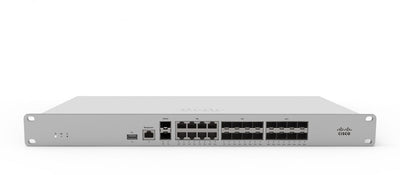
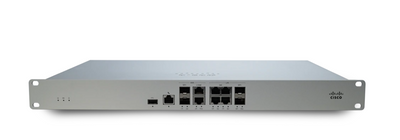
Featured Security Products
Protect your network with these Cisco Meraki security appliances.

Seamless Integration with Your IT Stack
Meraki works alongside the collaboration, security, and productivity tools your team depends on.
- VPN integration with major identity providers
- SAML and RADIUS authentication support
- MDM and endpoint management compatibility
- Open APIs for custom automation workflows
This article was originally published on meraki.deal, the Novbox Cisco Meraki online store.


Comments
Post a Comment