High-Density Wi-Fi: How Cisco Meraki Access Points Keep Crowded Venues Connected
High-Density Wi-Fi: How Cisco Meraki Access Points Keep Crowded Venues Connected
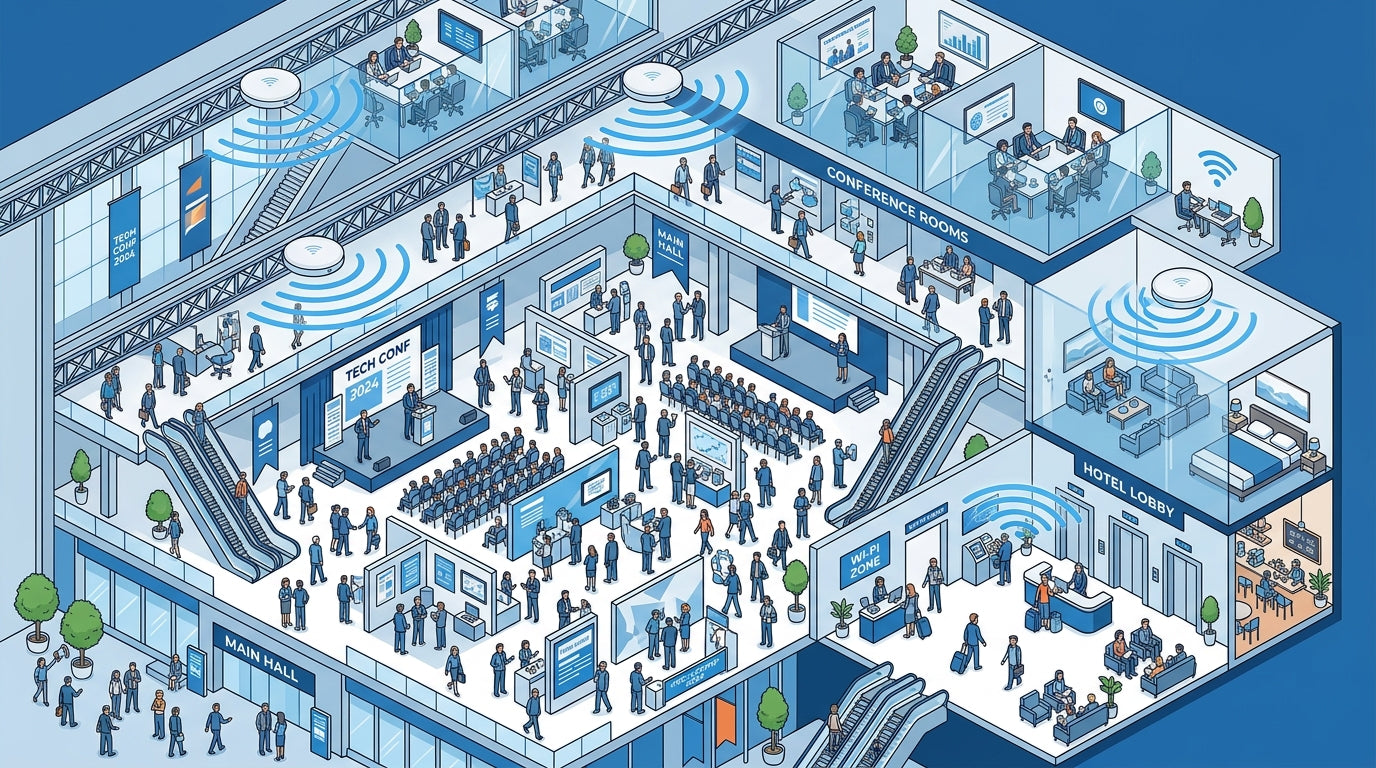
Every IT professional has experienced it — a conference kicks off, a hotel lobby fills up during check-in, or a school’s hallways flood between classes, and the Wi-Fi grinds to a halt. It’s not a bandwidth problem. It’s a density problem. When hundreds or thousands of devices compete for airtime on the same access points, traditional wireless networks buckle under the load.
High-density Wi-Fi isn’t just about faster speeds — it’s about maintaining consistent, reliable connectivity when every person in the room is streaming, collaborating, or transacting simultaneously. And it’s one of the hardest challenges in enterprise networking.
"The average enterprise user now connects 3.6 devices to the network simultaneously. In high-density venues, that number can exceed 5 — making intelligent radio management not optional, but essential."
The High-Density Challenge: Why Traditional Wi-Fi Fails
Standard wireless deployments are designed for moderate client counts — typically 20 to 40 devices per access point. But in environments like convention centers, stadiums, university lecture halls, hotels, and healthcare facilities, a single room can easily hold 200+ concurrent devices. When that happens, several things break down at once:
✓ Airtime congestion — Too many devices competing for the same radio channel creates packet collisions and retransmissions, dragging throughput to a crawl
✓ Co-channel interference — Overlapping access points on the same channel create noise that degrades signal quality for everyone
✓ Sticky clients — Devices cling to distant APs instead of roaming to closer, less congested ones, creating uneven load distribution
✓ Authentication storms — Hundreds of devices attempting to connect simultaneously can overwhelm RADIUS servers and create bottlenecks before users even reach the network
These aren’t theoretical problems — they’re the daily reality for any venue that hosts large groups of connected people. The solution requires purpose-built hardware and intelligent software working together.
How Cisco Meraki Solves High-Density Wi-Fi
Cisco Meraki wireless access points are engineered from the ground up for high-density environments. Rather than simply adding more access points and hoping for the best, Meraki takes an intelligent, cloud-managed approach that continuously optimizes the wireless environment in real time.
Self-Optimizing Radio Frequency (RF)
Meraki access points use Auto RF — a cloud-powered radio management engine that automatically adjusts channel selection, transmit power, and channel width across your entire deployment. When density spikes, Auto RF dynamically shifts channels to minimize co-channel interference and maximize available airtime. There’s no manual tuning required — the network adapts on its own.
Band Steering and Client Balancing
Meraki APs intelligently steer capable devices to the less congested 5 GHz and 6 GHz bands, freeing up 2.4 GHz for IoT devices and legacy hardware. Combined with client balancing — which distributes connections evenly across neighboring APs — every device gets a fair share of available resources.
Wi-Fi 6E and Wi-Fi 7 Capacity
The latest Meraki access points support Wi-Fi 6E and Wi-Fi 7 standards, which were specifically designed for high-density scenarios. Technologies like OFDMA (Orthogonal Frequency Division Multiple Access) allow a single transmission to serve multiple clients simultaneously, while MU-MIMO enables parallel data streams to different devices. The result: up to 4x more capacity per access point compared to Wi-Fi 5.
Cloud-Managed Intelligence at Scale
What truly sets Meraki apart in high-density deployments is the Meraki Dashboard — a single cloud interface that gives IT teams complete visibility into wireless health across every floor, building, and campus.
✓ Wireless Health analytics — Real-time visibility into client connectivity success rates, latency, and throughput across your entire deployment
✓ Location analytics — Understand foot traffic patterns and device density heatmaps to optimize AP placement for peak usage periods
✓ Air Marshal — Built-in wireless intrusion detection and prevention (WIDS/WIPS) that identifies rogue APs and containment threats — critical in dense environments where unauthorized access points are common
✓ Layer 7 application visibility — See which applications are consuming the most bandwidth and set traffic shaping policies to prioritize business-critical tools over recreational streaming
With the Meraki Dashboard, IT teams can proactively identify congestion hotspots, troubleshoot client issues remotely, and make data-driven decisions about where to add capacity — all without setting foot on-site.
Real-World High-Density Use Cases
Meraki high-density wireless deployments are powering some of the most demanding environments across industries:
Hospitality: Hotels and resorts deploy Meraki APs to deliver seamless guest Wi-Fi across lobbies, conference halls, and pool areas — where hundreds of guests connect simultaneously during peak check-in and event hours. Combined with cloud-managed switches, the entire network stack is managed from one dashboard.
Education: Universities and K-12 schools use Meraki to support thousands of student devices per building, with per-user bandwidth policies, content filtering, and seamless roaming between classrooms. The MX security appliances add integrated threat protection at the network edge.
Healthcare: Hospitals require always-on connectivity for medical devices, nurse call systems, and patient Wi-Fi — all on the same infrastructure. Meraki’s VLAN segmentation and quality-of-service policies ensure critical medical traffic always takes priority.
Retail and Events: Pop-up venues, trade shows, and retail stores deploy Meraki for rapid, high-capacity wireless that can be set up in minutes with zero-touch provisioning — connect the AP, and it automatically pulls its configuration from the cloud. When the event ends, the same hardware can be redeployed anywhere else.
Planning Your High-Density Deployment
A successful high-density wireless network starts with proper planning. Cisco Meraki provides tools and best practices that simplify even the most complex deployments:
✓ Capacity planning — Size your deployment based on expected concurrent clients, not just square footage. Meraki recommends one AP per 25–30 high-density clients for optimal performance
✓ AP placement — In high-density environments, mount access points closer together with lower transmit power to create smaller cells, reducing co-channel interference
✓ Backhaul bandwidth — Ensure your wired backbone can support the aggregate throughput of all access points. Meraki APs with multi-gigabit Ethernet ports (2.5G/5G) prevent the wired uplink from becoming the bottleneck
✓ Environmental monitoring — Pair your wireless deployment with Meraki environmental sensors to monitor temperature and humidity in server rooms and wiring closets that support your high-density infrastructure
Whether you’re supporting 50 users in a conference room or 5,000 in a convention center, the right combination of hardware, cloud intelligence, and planning makes the difference between a network that barely holds on and one that performs flawlessly under pressure.
Our guest Wi-Fi used to be a constant headache. With Meraki access points, we went from daily complaints to zero tickets in three months.
Why Businesses Choose Meraki Wireless
High-performance Wi-Fi that adapts to your environment and manages itself from the cloud.
Wi-Fi 6 & 6E Performance
Latest wireless standards deliver faster speeds, more capacity, and lower latency for every device on your network.
Learn More ›Self-Optimizing RF
AI-powered radio management automatically adjusts channels and power levels to maintain peak performance as your environment changes.
Learn More ›Seamless Roaming
Clients move between access points without drops or reconnections. 802.11r fast roaming keeps video calls and VoIP running smoothly.
Learn More ›The Power of the Meraki Dashboard
At the heart of Cisco Meraki is an intuitive cloud dashboard that unifies wireless, switching, security, and IoT management into a single view. IT teams can manage their entire distributed infrastructure from anywhere.
- Real-time visibility into network health and client connectivity
- AI-powered analytics that predict issues before they impact users
- Automated firmware updates and security patching
- Role-based access control and audit logging

Rolling out Wi-Fi 6 across our campus with Meraki took one afternoon. The auto RF optimization means we never touch channel settings manually anymore.
Featured Wireless Products
High-performance Cisco Meraki wireless access points for every environment.


Seamless Integration with Your IT Stack
Meraki works alongside the collaboration, security, and productivity tools your team depends on.
- VPN integration with major identity providers
- SAML and RADIUS authentication support
- MDM and endpoint management compatibility
- Open APIs for custom automation workflows
This article was originally published on meraki.deal, the Novbox Cisco Meraki online store.


Comments
Post a Comment